
INTRODUCTION
Veeam Data Platform 13.1 has been available for a few weeks already.
As described in a previous post, there are a great many new features.
In this article, we’ll take a closer look at one of them: the Application Backup Repository (ABR).
VEEAM ABR
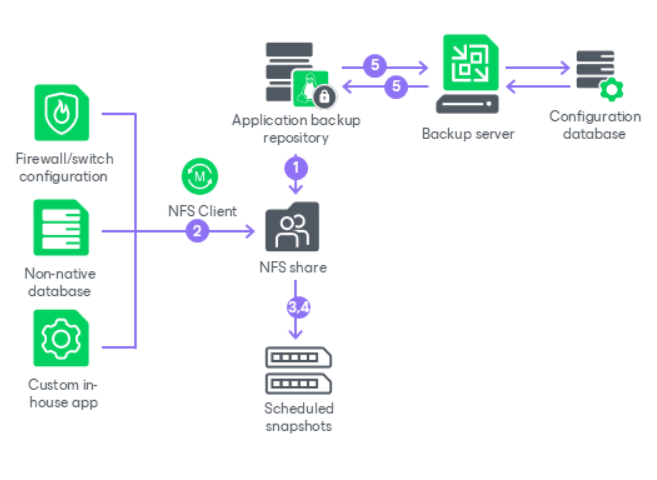
The Application Backup Repository provides an NFS-based backup destination, offering the benefits of a managed, secure appliance and immutable backups that are centrally controlled from your Veeam Backup & Replication installation.
This feature serves as a universal solution for all applications or devices—such as databases or network devices—that can save their native backups to an NFS repository.
Consider all those legacy, custom, or non-Veeam-supported applications for which you can only configure a dump to an external NFS share: with the implementation of ABR, Veeam can finally serve as a centralized repository without actually knowing the type of data being written.
Other important features and benefits of ABR include:
- Immutable storage snapshots (ZFS-based)
- Access control (Kerberos or IP/host)
- Centralized snapshot management (scheduling and restores) from the VBR console
- Support for instant restore/instant export for minimal RTOs
- Ability to create secondary copies to other Veeam repositories
Note: Since enabling NFS services increases the host’s attack surface, enabling ABR requires approval from the Security Officer (if configured in your Veeam environment).
VEEAM ABR – TECHNICAL DIVE
ABR is based on two main technologies: the Veeam Hardened Repository, an evolution of the highly popular Linux Hardened Repository, and the use of storage pools based on ZFS, a file system characterized by advanced volume management and data integrity features.
The VHR is deployed using the Veeam Infrastructure Appliance (VIA), a Rocky Linux distribution released by Veeam that contains only the services and components necessary to install the various packages based on the role we wish to assign, and which meets high security standards such as DISA STIG and FIPS.
The introduction of additional ZFS-based storage, as an alternative to the XFS file system typically used by the VHR, allows applications to access an NFS share from one or more virtual volume pools.
At the same time, this type of file system enables the use of ZFS snapshots—read-only copies of the original volume that ensure data protection against potential modifications or deletions.

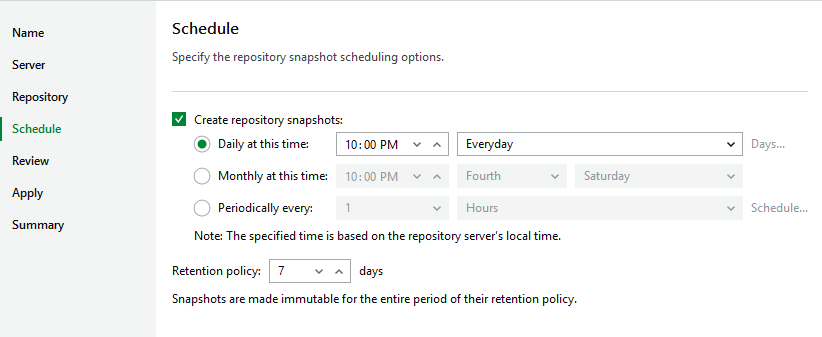
Snapshots are managed directly by the Veeam Backup & Replication server, where you can configure the scheduling and retention of the snapshots themselves.
Note: To ensure the consistency of recovery points, the frequency of snapshots should match the native backup schedule of the application using ABR.
The available recovery methods include:
- Revert Snapshot: performs a complete rollback by replacing the entire contents of the NFS share with the state of the selected snapshot
- Export Snapshot: mounts a snapshot as a temporary, read-only path, allowing you to browse files and perform granular restores
VEEAM ABR – CONFIGURATION
To create an ABR, the main steps are:
1. Deploy a Veeam Hardened Repository using VIA
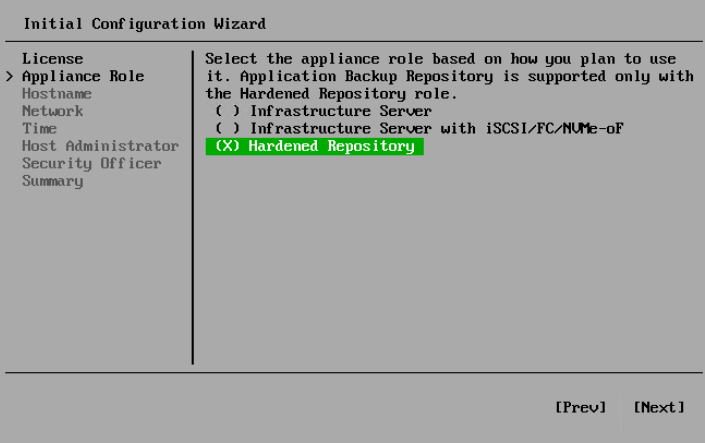
2. Enable ABR functionality from the Veeam Host Management Console of the VHR

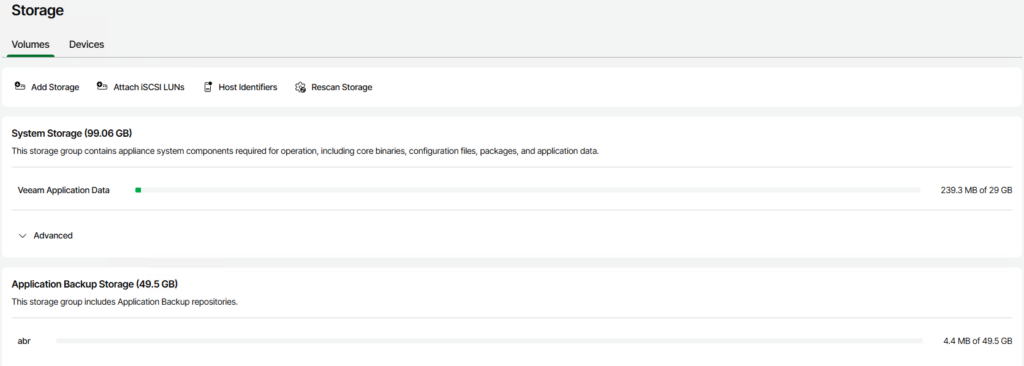
3. Configure the ABR storage (device, pool, volume)

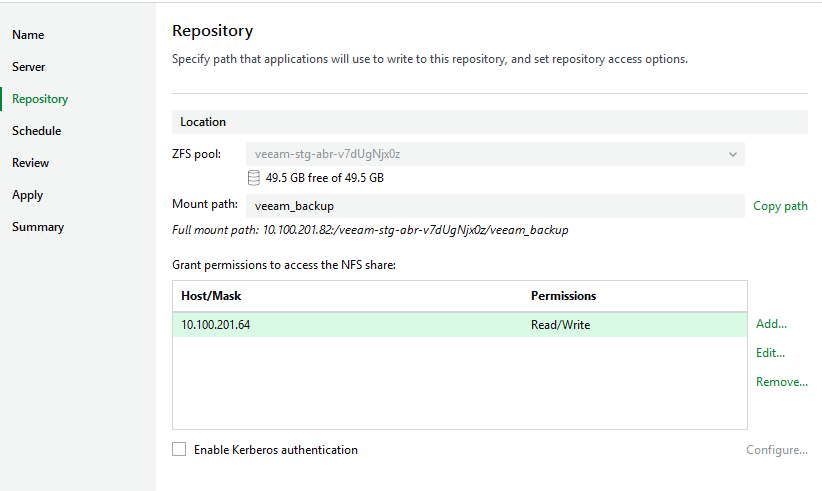
4. Add the ABR via the VBR console and configure the various specific settings (mount path, snapshot schedule)

CONCLUSION
Why should you upgrade your Veeam Data Platform installation to version 13.1?
As we’ve seen, there are a great many new features, and some of them—such as Veeam ABR—fill important gaps and can be very useful for developing and optimizing your data protection policies.
We suggest you explore the topic further by consulting the official Veeam documentation and, of course, schedule the upgrade! 💚